
1win Registration, Login and Verification Process
Welcome to 1win, where your gaming journey starts with a simple account setup. Registration opens access to thousands of casino games, live betting markets, and exclusive promotions built for Indian players. The login system keeps your account secure while letting you jump straight into action from any device. Verification protects your funds and guarantees smooth withdrawals every time. Whether you prefer the website or mobile app, the entire process takes just a few minutes.
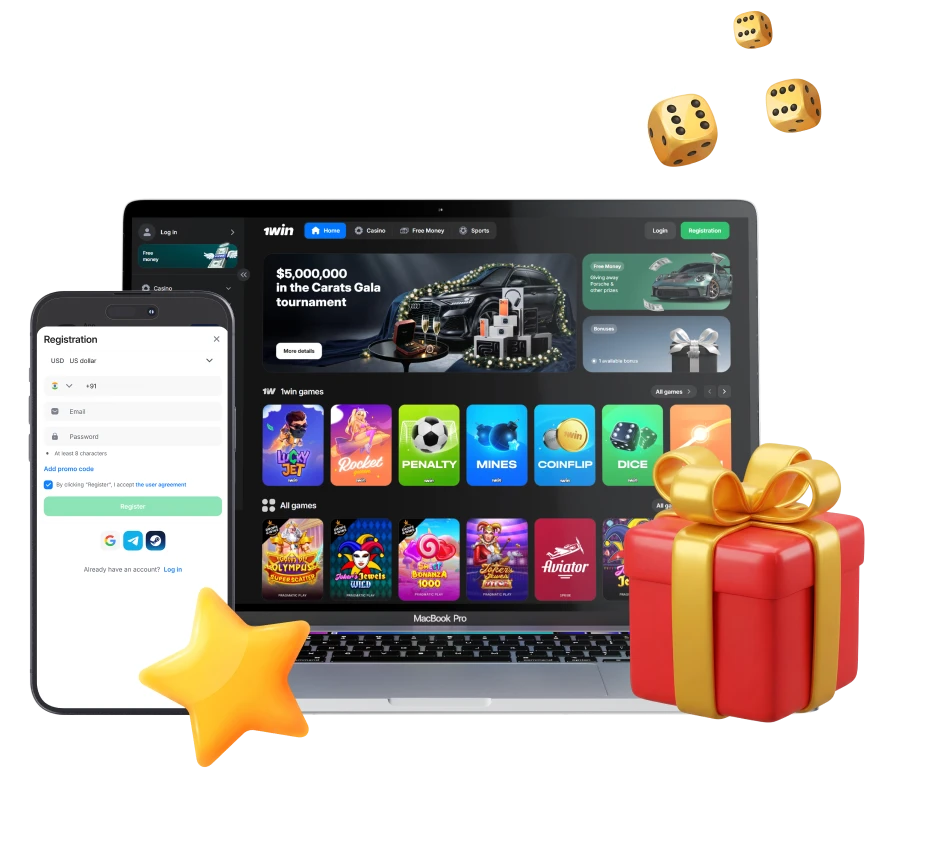
1win Sign Up Instructions
Creating your account takes less than two minutes. You can register using email, phone number, or social media credentials.
Step 1
Start Registration
Click the registration button on this page to open the signup form.
Step 2
Select Registration Method
Choose between one-click signup, email registration, phone number signup, or social media login (Google, Telegram, Facebook).
Step 3
Enter Required Details
Provide your contact information, create a strong password, and select Indian Rupees as your currency.
Step 4
Accept Terms
Confirm you’re over 18 years old and agree to the platform’s terms and conditions.
Step 5
Complete Registration
Click the final button to create your account and receive your welcome bonus instantly.
Registration via Mobile App 1win
The mobile app offers the same registration options as the website, but optimized for your smartphone. Once you’ve downloaded the app, the signup process follows the same structure with a mobile-friendly interface.
Step 1
Open the App
Launch the application from your home screen after installation.
Step 2
Tap Register
Find the signup button on the welcome screen.
Step 3
Choose Your Method
Select from one-click registration, phone number, email, or social media options.
Step 4
Fill in Details
Complete the required fields including contact information and password creation.
Step 5
Confirm and Start
Accept the terms and complete your registration to begin playing.
Registration Requirements
Before you sign up, make sure you meet the basic requirements for creating an account. These rules protect both you and the platform, ensuring safe and legal gaming for all users.
- You must be at least 18 years old to create an account and access real-money games.
- Each person can register only one account using unique contact details and payment methods.
- You need to provide accurate personal information that matches your identity documents for verification purposes.
- Your chosen contact method (email or phone number) must be active and accessible for account recovery.
- You must be physically located in a region where online gaming is permitted under local laws.
1win Account Verification Process
Verification confirms your identity and enables full account functionality, including withdrawals to your bank account or e-wallet. Indian players must complete this process to comply with gaming regulations and protect their funds from unauthorized access.
Step 1
Email or Phone Confirmation
Verify your contact method by clicking the link sent to your email or entering the code sent via SMS.
Step 2
Personal Profile Completion
Log in to your account and fill in your full name, date of birth, and residential address in your profile settings.
Step 3
Document Upload
Submit a clear photo or scan of your government-issued ID (Aadhaar card, PAN card, passport, or driving licence).
Step 4
Address Proof Submission
Provide a recent utility bill, bank statement, or official document showing your current address.
Step 5
Verification Review
The support team reviews your documents within 24-48 hours and notifies you once your account is fully verified.
Login to 1win Account
After registration, you can access your gaming account anytime using your chosen credentials. The login process works identically across desktop and mobile platforms.
Step 1
Open Login Form
Click the login button on this page to open the authentication screen.
Step 2
Enter Credentials
Type in your registered email address or phone number and your account password.
Step 3
Access Your Account
Click the sign in button to enter your account dashboard and start playing.
Welcome Bonus After Registration
New players receive a massive 500% welcome bonus package worth up to ₹180,000 across their first four deposits. This offer applies to both casino games and sports betting markets.
| Deposit Number | Bonus Percentage | Maximum Bonus | Minimum Deposit | Wagering Requirement |
|---|---|---|---|---|
| First Deposit | 200% | ₹90,000 | ₹300 | x5 for sports, x30 for casino |
| Second Deposit | 150% | ₹45,000 | ₹300 | x5 for sports, x30 for casino |
| Third Deposit | 100% | ₹30,000 | ₹300 | x5 for sports, x30 for casino |
| Fourth Deposit | 50% | ₹15,000 | ₹300 | x5 for sports, x30 for casino |
The sports betting wagering requires accumulator bets with at least three selections and minimum odds of 1.40 per event.
Learn How to Get a Welcome Bonus
Activating your welcome bonus happens automatically when you make your first qualifying deposit. The process is straightforward and requires no promo codes.
Step 1
Register Your Account
Complete the signup process on this page using any available registration method.
Step 2
Verify Your Contact
Confirm your email address or phone number through the verification link or code.
Step 3
Make Your First Deposit
Add at least ₹300 to your account using any supported payment method.
Step 4
Receive Bonus Automatically
Your bonus funds appear in your account immediately after the deposit is confirmed.
Potential Issues when Registering an Account
Most registration problems have simple fixes. Here are the most common issues players face and how to resolve them.
Problem: Registration form shows “email already exists” error.
Solution: This email is already linked to an existing account. Try logging in instead or use the password recovery option if you forgot your credentials.
Problem: Verification code never arrives to your phone or email.
Solution: Check your spam folder for emails. For SMS codes, wait 2-3 minutes and request a new code if needed. Contact support if the issue persists.
Problem: Registration button doesn’t respond or page freezes.
Solution: Clear your browser cache, disable VPN services, or try using a different browser or device.
Problem: System rejects your phone number format.
Solution: Enter your number including the country code (+91 for India) without spaces or special characters.
Problem: Cannot complete registration via social media.
Solution: Make sure your social media account has a verified email address and you’ve granted the necessary permissions during the connection process.
Account Password Recovery
If you forget your password, you can regain access to your account within minutes using your registered contact information.
- Click the “Forgot Password” link on the login page.
- Enter your registered email address or phone number.
- Check your inbox or SMS messages for a recovery code or reset link.
- Click the link or enter the code on the recovery page.
- Create a new password and confirm it by typing it twice.
Delete your 1win Account if Needed
You can permanently close your account if you decide to stop using the platform. This action is irreversible and removes all your data from the system.
- Log in to your account and withdraw any remaining balance to your payment method.
- Contact customer support through live chat or email and request account deletion.
- Provide your account details and reason for closure when asked by the support team.
- Wait for confirmation that your account has been permanently deactivated.
FAQ
Can I create multiple accounts to claim the welcome bonus several times?
No, only one account per person is allowed. Creating duplicate accounts violates the terms and conditions and results in permanent suspension of all accounts.
How long does the verification process take after I submit my documents?
Most verifications complete within 24-48 hours. You can continue playing casino games and placing bets while your documents are under review, but withdrawals require full verification.
What happens if I lose access to my registered phone number or email?
Contact customer support immediately with your account details and proof of identity. The team will help you update your contact information after confirming your identity.
Can I change my account currency after registration?
No, currency selection is permanent once you create your account. Choose Indian Rupees during registration to avoid conversion fees and currency restrictions.
Is there a minimum withdrawal amount after I verify my account?
Yes, the minimum withdrawal is ₹500 for most payment methods. Check your chosen withdrawal option for specific limits and processing times.
Updated: